iOS, Android and Flutter SDKs
Add customer support to your mobile app
Your users have a question inside your app, but the only way to reach you is an email address buried in the settings. With the Hooky SDK, they message you right from the app, and you reply from your phone, in the same inbox as your website.
Why put chat in your app
In an app, a stuck user doesn’t look around for long: they close the app, or leave a bad review on the store. A “Message us” button that opens a real conversation changes everything: they ask their question the moment they need to, and you answer them live.
With Hooky, this chat isn’t one more tool to keep an eye on. Messages from your app land in the same inbox as your website’s: one app to reply from, with the same notifications, on iPhone, iPad, Mac, Android and Apple Watch.
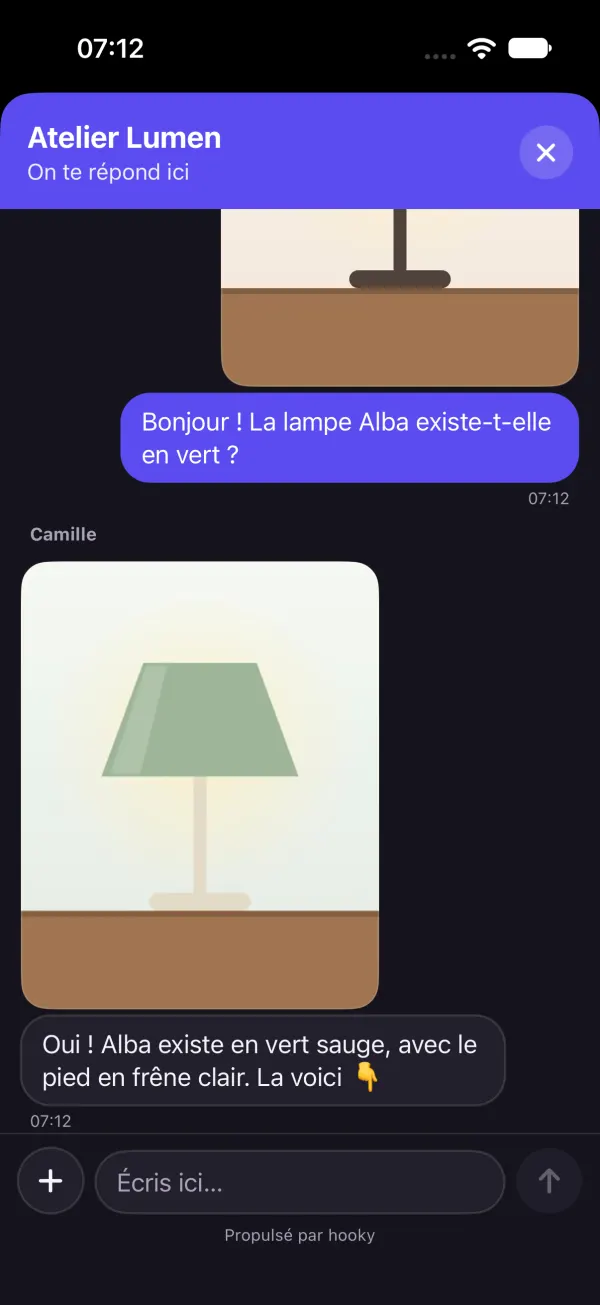
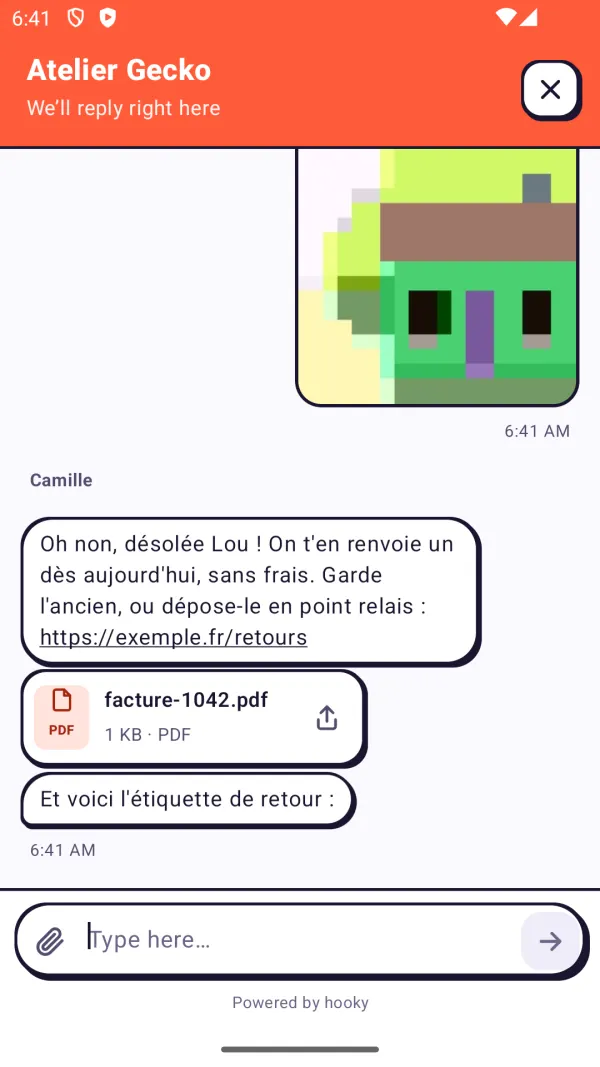
What the SDK does
- Native, no WebView: SwiftUI and UIKit on iOS, Jetpack Compose and XML views on Android, plus a Flutter package.
- In your site’s colors, with its name and welcome message, in the device’s language and dark mode.
- Photos and PDFs both ways, and your team’s replies live while the app is open.
- Automatic translation: your user writes in their language, you read in yours, and the other way around.
- Identify your users (
identify): you know who you’re talking to, with their email and the data you choose. - Count your events (
track): signups, purchases… in the same stats as your website.
Install it in three lines
The SDK uses your site’s public key, the same one as the web bubble. Create your account (free for one site), grab the key from Sites, then:
iOS (Swift), with Swift Package Manager (https://github.com/Defdjamel/hooky-ios):
// At launch
Hooky.configure(siteKey: "SITE_PUBLIC_KEY")
// The bubble…
ContentView().hookyBubble()
// … or your own button
Hooky.open()
Android (Kotlin), with Maven:
// In Application.onCreate
Hooky.configure(context, "SITE_PUBLIC_KEY")
// The bubble (Compose)…
HookyBubble(Modifier.align(Alignment.BottomEnd))
// … or your own button
Hooky.open(context)Flutter, as a git dependency in pubspec.yaml:
// In main()
Hooky.configure('SITE_PUBLIC_KEY');
// The bubble…
floatingActionButton: const HookyBubble(),
// … or your own button
FilledButton(onPressed: Hooky.open, …)
Each SDK’s docs cover everything in detail: iOS (iOS 15 or later), Android (Android 6 or later) and Flutter. The source code is MIT-licensed.
Reply to your users
When a user writes to you from your app, you get a notification on your phone, just like for your website. Reply from the Hooky app, on your computer, or from your Apple Watch.
Your reply shows up live if the app is open. Otherwise, the SDK fetches it the next time they come back to the app, and the badge on the bubble flags the unread message.
How much it costs
The SDKs are free and included in every plan: your app uses the key of one of your sites, with no extra site to pay for. Free for one site, then priced by the number of sites.
More articles
Your visitors have questions. Answer them from wherever you are.
Free for one site, installed with one prompt. Then just keep your phone in your pocket.